
 By Admin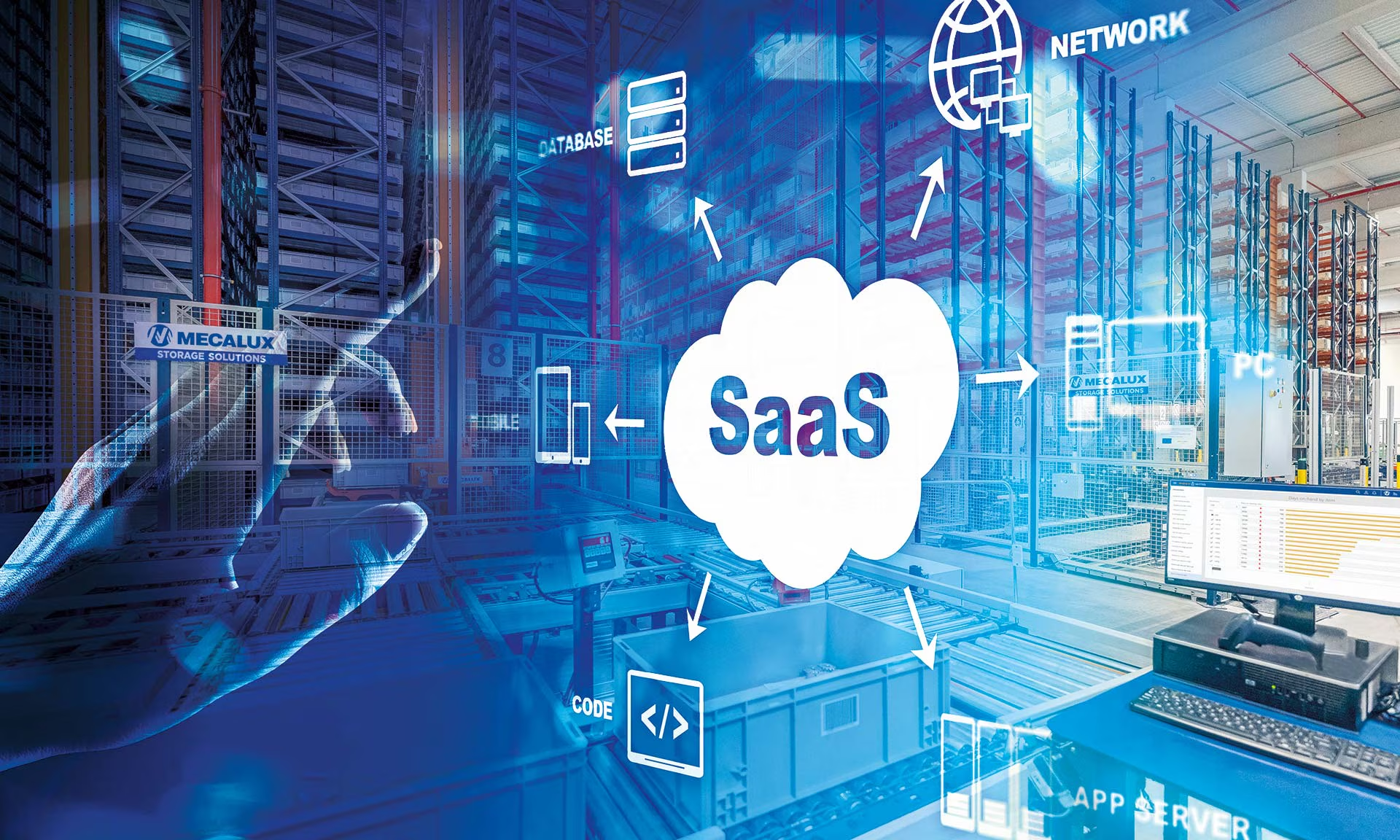
Software as a Service, commonly known as SaaS, has changed the way businesses and individuals access and use software. Instead of purchasing software, installing it on individual computers, and managing updates manually, users can access SaaS applications through the internet. This approach provides flexibility, scalability, and convenient access to digital tools from almost anywhere.
From communication and project management to accounting and customer scheduling, SaaS applications now support many everyday business operations. Understanding how SaaS works can help organizations choose suitable tools, manage technology costs, and improve productivity.
What Is Software as a Service?
Software as a Service is a software delivery model in which applications are hosted by a service provider and made available to customers online. Users typically access the software through a web browser or mobile application instead of installing the complete program on their own devices.
The SaaS provider is generally responsible for maintaining the application, managing infrastructure, applying updates, and addressing technical issues. Customers usually pay through a subscription model, although pricing structures can vary.
This model removes much of the technical burden associated with traditional software ownership. Businesses can begin using an application without purchasing dedicated servers or spending significant time managing installations.
How SaaS Works
SaaS applications operate through cloud-based infrastructure. The provider hosts the software and associated data on servers, while customers connect to the application through the internet.
When a user logs into a SaaS platform, authentication systems verify their access before allowing them to use the available features. The application processes requests through the provider’s infrastructure and delivers information back to the user’s device.
For example, a company might use an online scheduling platform to allow customers to select available appointment times. The application can manage calendars, confirmations, reminders, and scheduling information through a centralized system.
An example is Appointment scheduling software for small businesses, which can help smaller organizations manage bookings without maintaining their own scheduling infrastructure.
Key Characteristics of SaaS
Several characteristics distinguish SaaS from traditional software solutions.
Cloud-Based Access
SaaS applications are hosted online, allowing users to access them from supported devices with an internet connection. This can be particularly useful for employees working from different locations.
Subscription-Based Pricing
Many SaaS providers charge customers monthly or annually. Subscription pricing can make software costs more predictable and may allow businesses to select plans based on their requirements.
Automatic Updates
Instead of requiring customers to download and install major updates manually, SaaS providers generally manage software improvements centrally. Users can therefore receive new features, security updates, and performance improvements without managing traditional installation processes.
Scalability
SaaS platforms can often accommodate changing business requirements. Organizations may upgrade their plans, add users, or access additional features as their operations expand.
Benefits of SaaS for Businesses
SaaS offers several potential advantages for organizations of different sizes.
One important benefit is accessibility. Employees can often access business applications from offices, homes, or other locations, supporting flexible working arrangements.
Another advantage is reduced infrastructure management. Businesses do not necessarily need to maintain physical servers for every SaaS application they use. The provider typically handles hosting and much of the underlying technical infrastructure.
SaaS can also simplify software deployment. Rather than installing an application on dozens or hundreds of computers individually, organizations can provide employees with account-based access.
The subscription model can also help businesses manage expenses. Instead of making a large upfront software purchase, a company may pay recurring fees according to its selected service plan.
SaaS and Business Productivity
SaaS platforms can support productivity by automating repetitive activities and centralizing information. Employees can use specialized applications for communication, document management, customer relationship management, accounting, marketing, scheduling, and other functions.
Consider a small service business that previously handled appointments through phone calls, paper calendars, and spreadsheets. By using online scheduling software, the business can provide customers with a digital booking process while staff members manage appointments from a centralized dashboard.
This type of automation can reduce repetitive administrative work and allow employees to spend more time on customer service and core business activities.
Understanding SaaS Architecture
Behind a SaaS application is a combination of software, databases, servers, networks, and security systems.
The application layer provides the features users interact with. Databases store information such as customer records, account details, transactions, or scheduling data. Cloud infrastructure provides the computing resources needed to run the application.
Many SaaS platforms use multi-tenant architecture, where a single software system serves multiple customers while keeping each customer’s information logically separated. Other providers may use dedicated environments depending on their technical design and customer requirements.
Security controls are also an important part of SaaS architecture. Providers may use encryption, authentication systems, access controls, monitoring, backups, and other measures to protect customer information.
SaaS Security Considerations
Although SaaS provides convenience, businesses should carefully consider security before selecting a provider.
Organizations should examine how a provider protects customer data, manages user access, handles backups, and responds to security incidents. Businesses operating in regulated industries may also need to consider specific compliance requirements.
Strong passwords and multi-factor authentication can provide additional protection for user accounts. Companies should also establish appropriate access permissions so employees can only access information relevant to their responsibilities.
Reviewing a provider’s security documentation, service agreements, data policies, and availability commitments can help businesses better understand the risks and responsibilities associated with the service.
Choosing the Right SaaS Solution
Selecting a SaaS application should begin with identifying the organization’s actual requirements. Businesses should determine which processes need improvement and which features are essential.
Pricing is another consideration, but it should not be the only factor. A low-cost application may become expensive if it lacks important features or requires additional services.
Businesses should also evaluate usability, integration capabilities, customer support, scalability, security, reliability, and data management policies.
For example, a small business searching for scheduling technology should consider whether the platform supports online bookings, automated reminders, calendar synchronization, customer notifications, and reporting.
Challenges of SaaS
SaaS also has potential disadvantages. Internet connectivity may affect access to cloud-based applications, particularly when a business depends heavily on online systems.
Subscription costs can accumulate over time, especially when an organization uses many different SaaS products. Businesses should regularly review their software subscriptions to identify unused applications and unnecessary expenses.
Vendor dependency is another consideration. If a company becomes heavily reliant on one provider, changing platforms may require data migration, employee training, and process adjustments.
Organizations should therefore consider data portability, contract terms, service availability, and exit procedures before committing to a long-term SaaS strategy.
The Future of SaaS
SaaS continues to evolve as cloud computing, automation, artificial intelligence, analytics, and integration technologies advance. Modern SaaS platforms are increasingly designed to connect with other applications, automate workflows, and provide more personalized experiences.
Businesses are also becoming more selective about their technology ecosystems. Instead of simply adopting software for individual tasks, organizations can build connected systems that allow information to move between different applications.
This development can make SaaS an important component of modern digital business operations.
Conclusion
Software as a Service provides a practical way to access and manage software through the internet. By shifting hosting, maintenance, updates, and much of the technical infrastructure to service providers, SaaS can give businesses greater flexibility and easier access to specialized tools.
From enterprise applications to Appointment scheduling software for small businesses, SaaS can support a wide range of operational needs. However, organizations should carefully evaluate security, pricing, reliability, scalability, integrations, and vendor policies before choosing a platform.
When selected and managed thoughtfully, SaaS can become an important part of an efficient, flexible, and scalable technology strategy.